


OSM will automatically DELETE any DRAFT booking that is more than 1 hour old.
e.g. ones that have not yet been submitted
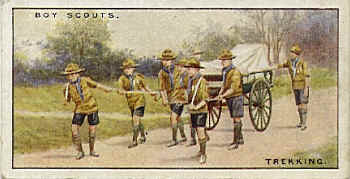
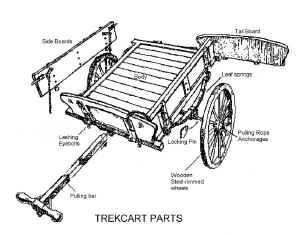
Booking Fee : £25 per evening session, £40 for Day / weekend
(Payment in Advance or Pickup)
Activity equipment is booked as a self lead activity.
This assumes you have already arranged the appropriately trained / qualified instructors.
Note: Once a booking has been submitted, ONLY Kennet District support team members can update it.
Please use contact us to amend / cancel any booking
Note: You will be prompted to create an OSM account if you do not already have one. This is required for all hires, Scouts, Guides, Church groups, Schools etc
General Kit Booking FAQ
Further booking questions ❓
How do I Pay
Preferred: Electronic payment
Bank: LLoyds Bank
Name: Kennet District Scout Council
Sort code: 309089
Account No.: 55222268
Reference:
for Minibus please use: BUS-{OSM BookingID} i.e. BUS-492548
for Kit please use: KIT-{OSM BookingID} i.e. KIT-492548
Kennet District Stores
The District Stores is currently located on the Greenham Business Park near the Venture West building.
Google Map of location and ‘best route’ through the business park below
Kit & Minibus Collection
Generally, the booking secretary will make collection/pickup arrangements with you at point of booking/confirmation or closer to the time of hire.
Collection in most cases will be from the district stores, however in some circumstances where back to back books happen it makes more sense for you to collect from the previous hirer… again the booking secretary will advise on who to contact if this happens.
Re the Minibus, normal collection is from Greenham Business park. However, Newbury based collection/drop off from Chandos Road area can be arranged too.
NOTE: Kit & Minibus Collection is by appointment ONLY, you will not be allowed to just pickup the keys.. so please don’t ask!
When do I pay
It is expected the booking will be paid for ASAP after having received confirmation of the booking being accepted.
If payment is not received and another request comes in for the same slot, you will be at risk of loosing it.
Note: Booking is not fully confirmed until payment or deposit has been received.
Online Scout Manager (OSM) Venue
OSM Venue Bookings
Viewing Availability calendar does not require any OSM login.
An OSM account will be required to create a booking.
An OSM account can be created by visitors at point of first entry into OSM
If you are an exisiting OSM user, you can view and add a Booking directly.
a) Programme > Your Programme > Select Date > Venue Bookings
b) Programme > Your Events > Select Date > Venue Bookings
OSM Booking Updates
You will be unable modify a OSM Venue Booking once its been submitted
Please use the Contact us form to request updates to a booking.
Booking Payments
OSM Venue Booking System automatically sends invoices based on…
a) The date range selected
b) The number of people entered if overnight
c) Whether you are Local (Kennet District) or a Visitor
OSM Venue Booking system will automatically re-send invoices based on…
a) Update to booked Date(s)
b) Update to numbers onsite overnight
c) Reimbursement for cancellation
OSM Venue Booking system will automatically send notification of payments recieved
a) Deposit or part Payments
b) Balance paid
This item is large & heavy, so a large car / van will be required for transport


